
By: High Touch Technologies
There’s More to Payment History and Receipts Than Meets the Eye.
Are you familiar with reviewing a customer’s payment history in cynergi|suite? From the Customer Page, you can see an overview of a customer’s payment history, including the payment date, payment amount, and the number of payments left. It’s a good start, but do you know where to look when you need more detailed information about a customer’s payment history?
Additionally, cynergi|suite records more detailed information related to payment history, including deferments and exceptions. This blog will show you how to review more detailed payment history, including payment history for all agreements.
cynergi|suite Payment History Overview
How to View Customer Payment History
To see a customer’s payment history overview, from the cynergi|suite home screen, click Rental Payments and choose a customer to display the customer’s page. In the Agreements section, hover the pointer over a line in the Agreement History list, and a quick summary will display in the Details window below.
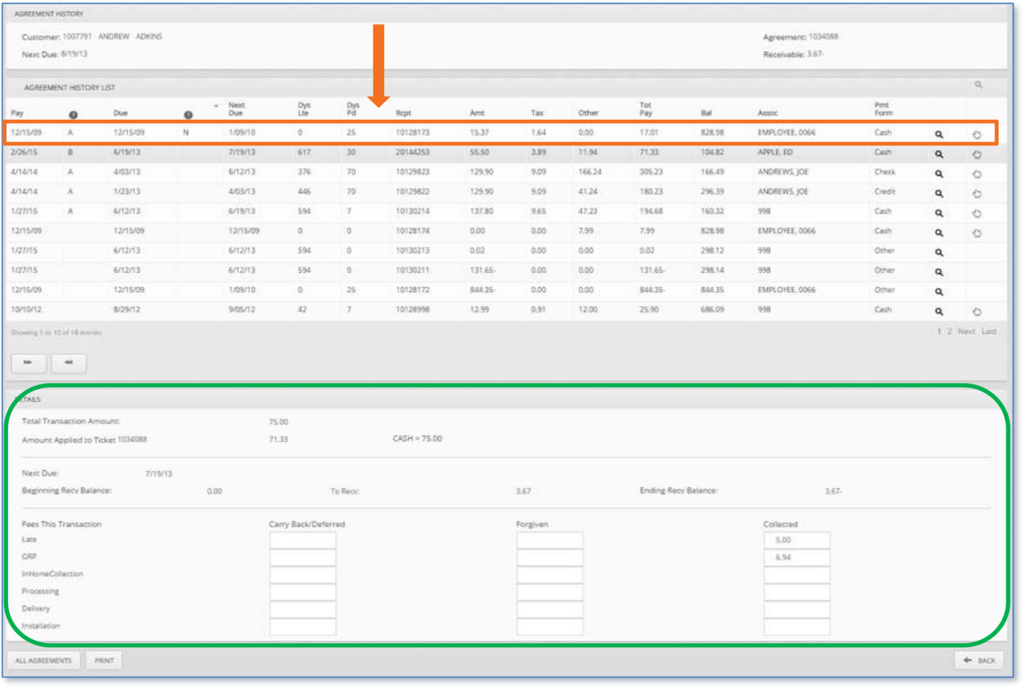
Below the Details window, you can click the All Agreements button to review the payment history for all rental agreements.
How to View Deferred Payments
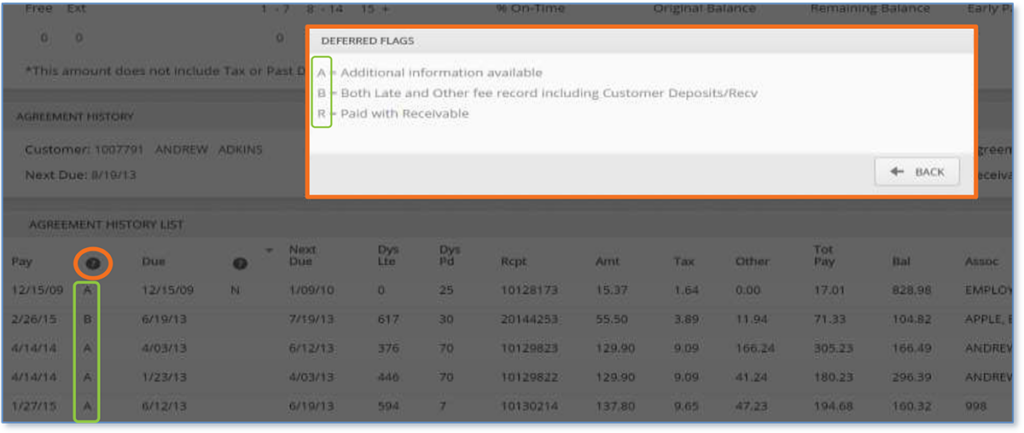
Located to the right of the Pay column, the ? column contains a single-letter code that indicates a history of a deferred payment. Deferred flags can mean the following:
- A. Additional information is available related to the deferred payment.
- B. Both late and other fees are recorded, including customer deposits and receivables.
- R. The payment was satisfied with a receivable.
How to View Payment Exceptions
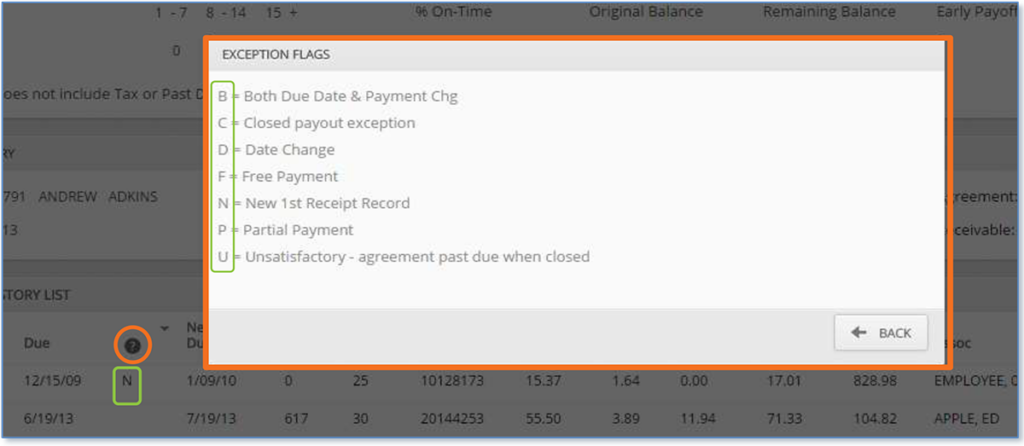
Located to the right of the Due column, the ? column contains a single-letter code that indicates why a customer has an exception to making a specific payment. Exception flags indicate the following:
- B. The due date and payment have changed.
- C. There’s an exception to the closed payout.
- D. The payment date has changed.
- F. A free payment has been applied.
- N. First payment received on the agreement.
- P. The customer made a partial payment towards the total amount due.
- U. Any payment attempt is unsatisfactory since the agreement was past due when closed.
Contact Us to Learn More About Rental Payments
If you have questions about cynergi||suite, payment history, and receipts, our Support team is happy to help. Contact us to learn more about viewing payment details in cynergi|suite.